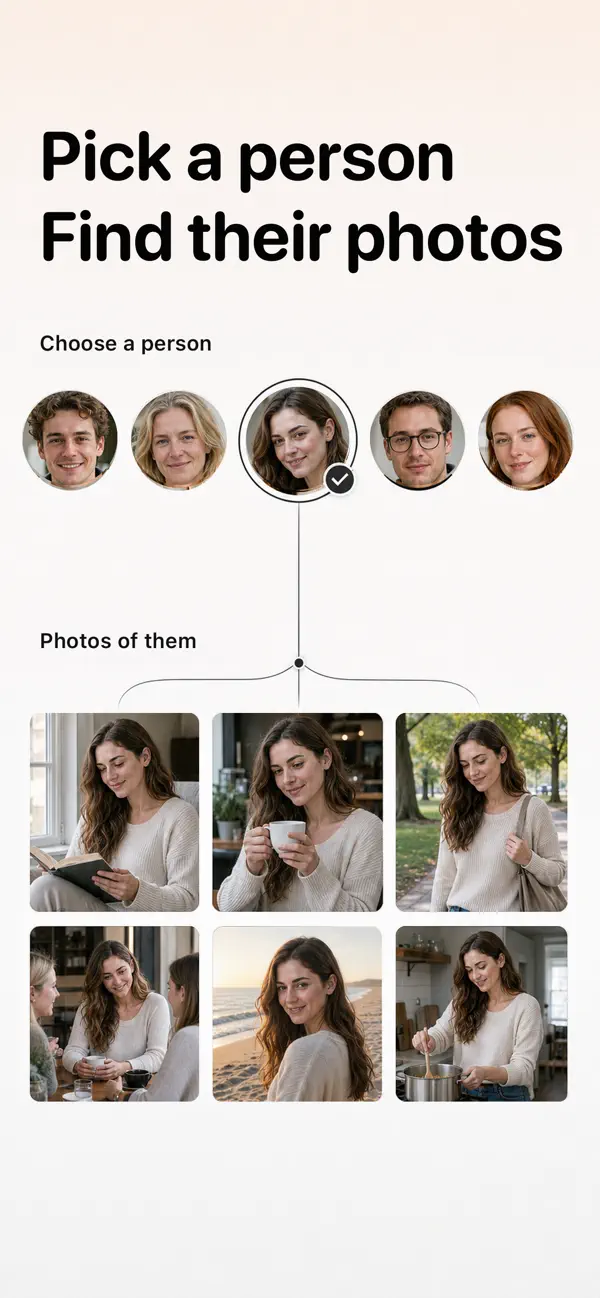
AI people album
Styart groups similar faces so you can open one person and browse all of their photos. Combine a person with a place or a date to find one moment fast.
Search photos by face →AI photo search for iPhone
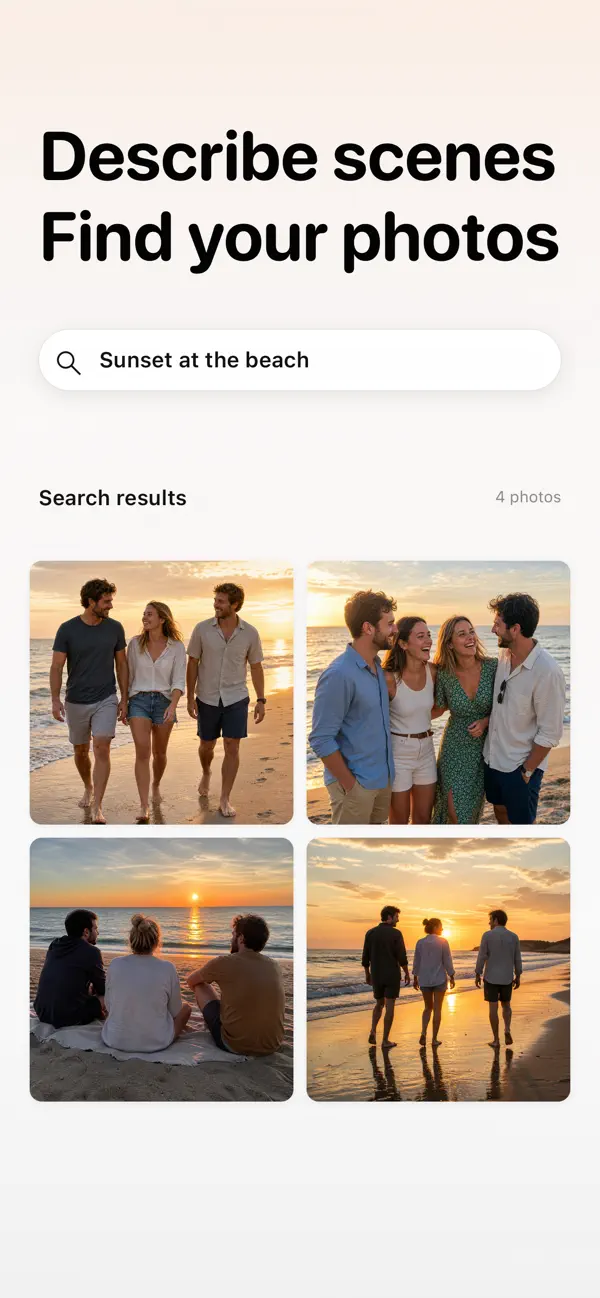
Pick a person and see every photo of them. Or just describe the moment – “sunset at the beach”, “birthday cake”. Styart sorts your library by people, places and dates, and does the analysis on your device.

Styart groups similar faces so you can open one person and browse all of their photos. Combine a person with a place or a date to find one moment fast.
Search photos by face →Type what you remember: “dog in the park”, “snow mountain”, “cake with candles”. Styart understands what is in your photos. No tags, no albums to build first.
AI photo search →Browse by who is in a photo, where it was taken or when. Stack filters to cut a library of thousands down to the few you want.
Organize photos by person, place and date →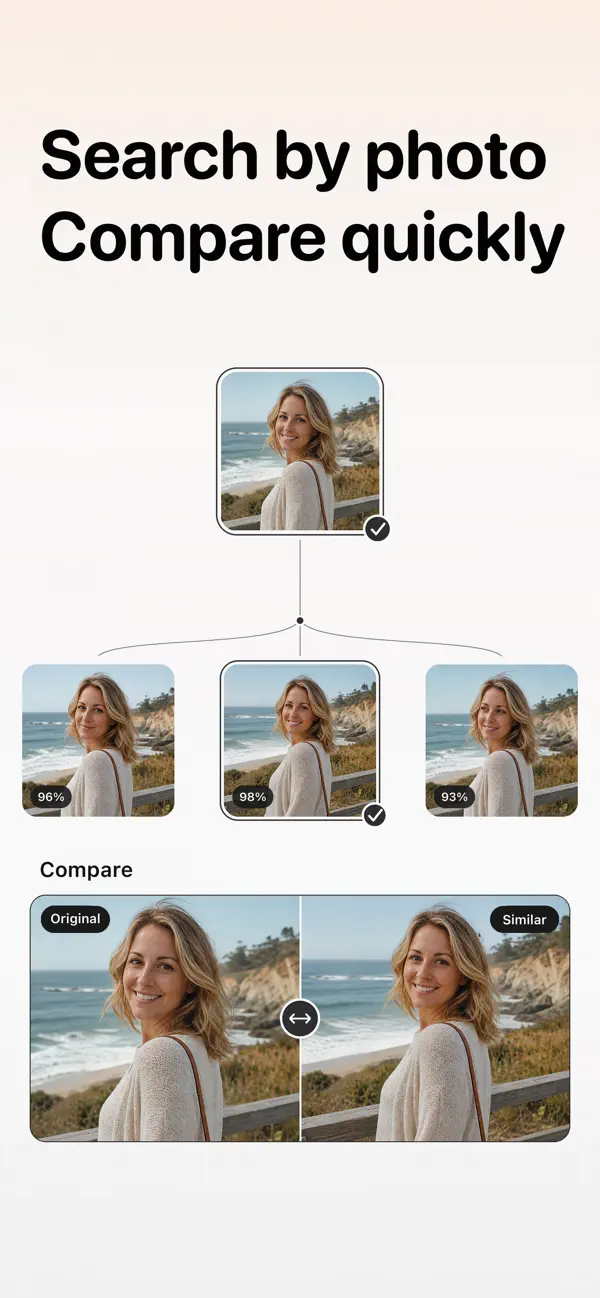
Choose any photo and Styart shows others with the same subject, scene or composition – handy for picking the best shot or tidying up near-duplicates.
Find similar photos →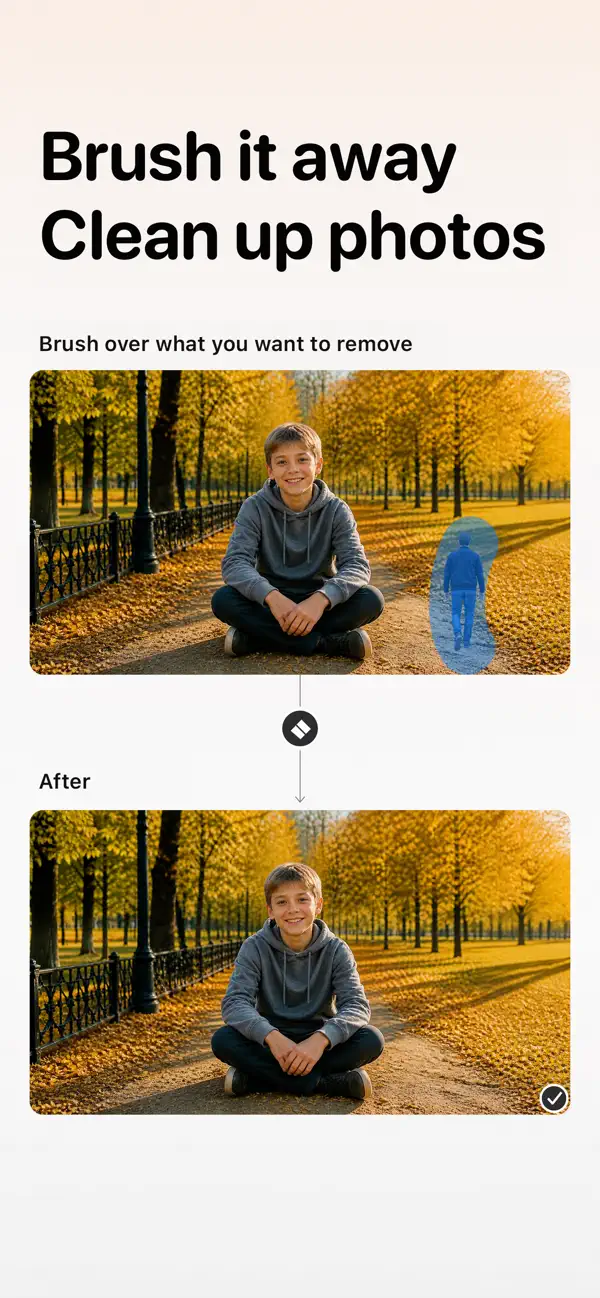
Brush over a stranger or an object in the background and let the smart eraser clean it up.
Remove passersby from photos →
Keep personal photos and videos in a separate, password-protected space, away from everyday browsing.
Private space for photos →Face grouping, scene understanding and photo search run on your iPhone or iPad. The photos and face data used for this analysis are not uploaded to Styart’s servers.
Open People, tap a person, and every photo of them appears.
Describe the scene in everyday language and Styart finds it.
Pick a city or a time range, and add a person if you like.
Styart analyzes faces in your photo library on your device and groups similar faces together. Open a group to see the photos of that person, then narrow down by place or date.
No. Face grouping, scene understanding and photo search are processed on your device. Photos and face data used for AI analysis are not uploaded to Styart’s servers.
Everyday phrases describing what is in the photo, such as “sunset at the beach”, “birthday cake” or “dog in the park”. You do not need to tag anything first.
Styart is a free download. Some premium features require a subscription or a one-time purchase, shown in the app before you pay.
Styart runs on iPhone and iPad with iOS 18 or later. It is not available on Android.
In mainland China the app is published as 思黛相册 on the China App Store.
Search by face, by words, by place or by date. On your iPhone, in seconds.